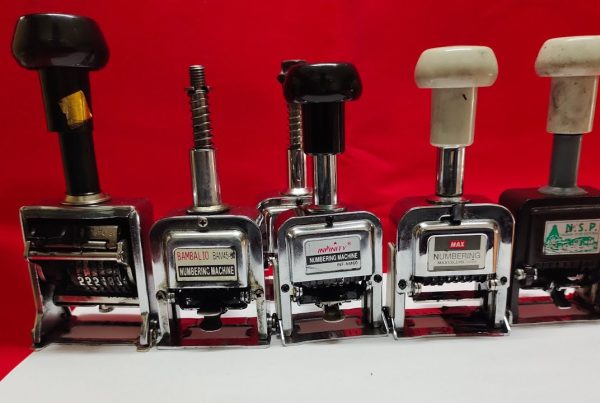
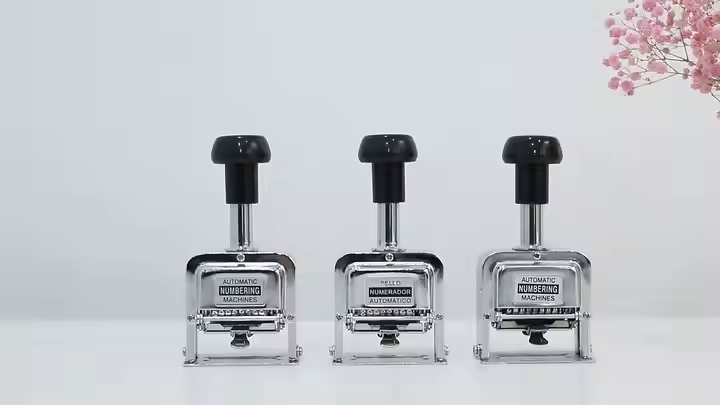
Two shops use the same model of numbering machine, but one spends more time repairing it than running it. Why?
The difference often comes down to production volume, or how many impressions each shop makes per day.
The same machine may work fine for a few dozen invoices a day but need more frequent repairs when it’s used to number thousands of tickets, tags, or cartons. That’s why it pays to know your daily output before you compare numbering machines by wheel count, frame construction, or price.
To help you choose a machine that can keep up with your workload, this guide covers:
- why daily output should guide machine selection
- the four production volume bands and what each requires from a machine
- how light-duty and heavy-duty builds differ
- when hand numbering starts costing you time
- how to match machine capacity to your actual production schedule
Why production volume matters when choosing a numbering machine
As daily impressions add up, a mechanical numbering machine’s advance mechanism and figure wheels get more use, and its ink supply runs down faster. If the machine isn’t built to handle that workload, you may start noticing problems like these:
- The advance mechanism may start skipping numbers or repeating them unexpectedly, and one unnoticed error can throw off an entire batch.
- If the ink supply is too small for the job, you may have to stop midway through a batch to re-ink.
- Worn or dirty components can leave numbers misaligned or impressions uneven.
- The machine may need replacing sooner, so a bargain stamp can quietly cost more over time.
Our light-duty models can last for years under light use, but they’re not designed for heavy daily workloads. For thousands of impressions a day, we recommend stepping up to a Reiner numbering machine.
4 production workloads and what each requires from a numbering machine
Daily impression count is a good starting point, but it also matters whether you’re numbering batches or marking items on a production line. The 4 categories below are practical guidelines rather than fixed industry standards:
1. Occasional use
Occasional use means fewer than about 100 impressions on a typical working day, usually for invoices, work orders, or small ticket batches. Here’s what fits that pace:
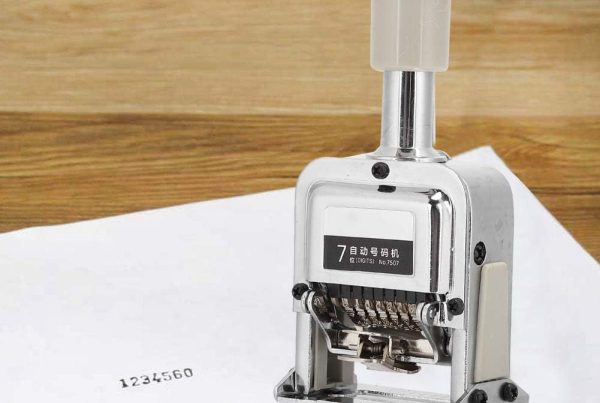
- An all-metal, light-duty hand numberer, similar to a classic Bates-style stamp, is often enough for this workload.
- A felt pad you can re-ink from a bottle is also a simple option for smaller batches.
2. Steady daily runs
Steady daily runs mean about 100 to 1,000 impressions a day, as you might see at a receiving dock or small print shop. With more impressions to get through, a larger ink supply means fewer stops, and repeat settings can save time when you’re numbering sets:
- Our six-wheel Reiner-made B-600 economy models use ColorBox cartridges that can last for thousands of impressions, reducing re-inking stops.
- Movement settings control when a number repeats or advances, which helps when several items need the same number. Our six-wheel B-600 models offer nine settings, including 12× and 20× repeats.
3. High-volume production
High-volume production starts at roughly 1,000 impressions a day. At that level of use, lighter machines may wear out sooner if they aren’t built for the workload. A durable frame becomes more important, along with wheels and printing options that suit the job:
- Our deluxe numbering machines offer die-cast frames for repeated use, with models available in configurations of up to 10 wheels.
- Letter, dash, and specially engraved wheels let you add prefixes or lot codes without using a second stamp.
- If you’re marking cartons, rubber-faced case-marking models offer larger characters for packaging applications.
4. Continuous line marking
On a production line, a numbering machine needs to mark items at the line’s pace, not just meet a daily impression target. That’s where an electronic marking system may be a better fit:
- The Reiner jetStamp 790 series can print numbers, dates, and text, with repetition options up to 99 times. The MP models can also be installed in some production-line setups.
- For longer runs, the plug-in 792MP avoids interruptions for battery charging. By comparison, the battery-operated 790 is rated for up to 600 imprints per charge.
How do light-duty and heavy-duty numbering machines differ?
Light-duty and deluxe numbering machines differ in their frames, wheels, inking systems, movement settings, and warranties. Here’s how our models compare:
| Feature | Light-duty (MX-MN series) | Deluxe numbering machines |
| Built for | Light use on a budget | Repetitive numbering tasks |
| Frame | All-metal construction | Nickel-plated die-cast frame |
| Wheels | 6, 7, or 8 | 6 to 10 |
| Inking | Dry felt pad, re-inked from a bottle | ColorBox on most 6–7-wheel models; felt pads on 8–10-wheel models |
| Movements | Repeat, consecutive, 2×, 3×, 4×, 6×, 12× | Repeat, consecutive, 2×, 3×, 4× |
| Warranty | 90 days | One year against defective parts; three months labor |
Notice the movements row: the light-duty models offer more repeat options, but that doesn’t make them more durable.
If you want more repeat options without moving to a deluxe model, our B-600 economy range is another option. Its six-wheel models use long-lasting ColorBox cartridges, and the range has a lightweight, high-impact plastic frame. Unlike the deluxe models, though, it can’t be customized to order.
Still unsure which machine fits your workload? If you’re already using one, its performance can offer a clue. Does your stamp start skipping numbers or leaving faint impressions partway through a batch of a few hundred tickets? Check the ink and mechanism first. If the problems continue after maintenance, it may be worth checking whether your current machine is built for that workload.
When does manual numbering become a production bottleneck?
Manual numbering becomes a bottleneck when the time spent stamping, checking sequences, or resetting numbers starts delaying other work. Here are 4 signs to watch for:
- Stamping takes up hours of a shift, leaving less time for other work.
- Checking for skipped or duplicate numbers keeps delaying the next batch.
- Resetting the start number takes longer than some of the smaller stamping jobs.
- Operators start asking to rotate off the numbering station.
That last sign is worth taking seriously, especially when operators spend hours repeating the same stamping motion. Does a long run of hand-stamping leave your wrist aching? And when a job involves thousands of impressions, both the repetitive motion and the time spent stamping become harder to ignore.
At a planning pace of 15 impressions a minute, 1,000 impressions take about 67 minutes, while 3,000 take 3 hours and 20 minutes, before breaks or sequence checks. Time your own team for a more accurate figure.
When stamping alone takes hours, asking someone to work faster isn’t much of a solution. Many mechanical numbering machines already advance the digits automatically, but someone still has to press the stamp for each impression. A powered or line-integrated marking system may reduce the repeated hand-stamping, depending on how it’s set up.
For a closer look at reducing manual steps, see our guide on how automatic numbering machines improve production efficiency.
How should numbering machine capacity match your production schedule?
Your numbering machine should be able to handle your busiest production day, not just the average one, without putting too much strain on the machine or the people using it. Here’s how to plan for that workload in 4 steps:
- Plan around peak days, such as month-end invoicing or seasonal runs, rather than your average daily output.
- Calculate how long the work will take. Divide your peak-day impressions by the stamping pace you measured earlier. If the job won’t fit into your schedule, consider another station or a faster marking method.
- Stock enough ink and replacement supplies for the full run. ColorBox cartridges are disposable, while replacement felt pads arrive dry and need the right ink before use. Stick to proper numbering machine ink, since regular ink can damage the mechanism.
- Have a backup plan for continuous runs, whether that’s a spare machine or a way to get repairs handled quickly.
A month-end rush can leave the same team with far more impressions to finish in a single shift. If they haven’t allowed time for ink changes, sequence checks, or unexpected machine problems, even a small interruption can delay the batch or leave numbering errors unnoticed.
Find the right numbering machine for your daily workload at Short Order Products
Short Order Products carries numbering equipment for the workload ranges covered above, from light-duty hand stamps to electronic markers for production use. For our mechanical models, here’s where prices start:
| Numbering machine | Wheel count | Starting price |
| Light-duty MX-MN6 | 6 wheels | $98.78 |
| TANNCO B-600 economy model (made by REINER) | 6 wheels | $191.29 |
| Deluxe die-cast models (6–7 wheels) | 6–7 wheels | $427.57 |
| Deluxe die-cast models (8–10 wheels) | 8–10 wheels | $811.91 |
These are starting prices and may change. To find the right fit, compare your busiest day’s impression count with the workload ranges above rather than choosing on price alone. Once you’ve picked a model, order compatible spare ink or pads so you don’t run short during longer jobs.
Need random numbering or a nonstandard format? We can quote custom and key-set machines to fit your specifications.
Already have a machine that’s skipping numbers? We can help with repairs, too.
Frequently Asked Questions (FAQs)
Q1. How many wheels does my numbering machine need?
Choose the wheel count based on how many unique numbers you’ll need before the sequence rolls over. Say you’re stamping 3,000 consecutive numbers a day, starting at zero and advancing once per impression. A 6-wheel sequence would last about 333 working days, while a 7-wheel sequence would last roughly 13 years, assuming 250 working days a year. For jobs that depend on accurate records, our guide on long-term traceability explains why skipped or repeated numbers can cause problems.
Q2. Is it better to buy two light-duty machines or one heavy-duty model?
If you’re making thousands of impressions daily, one machine built for heavy use is generally a better choice than splitting the workload between two light-duty models. Two machines can still make sense when separate stations need to stamp at the same time or when you want a backup. If both machines are running at once, assign each a separate serial-number range. For example, one could use 100,000–499,999 and the other 500,000–999,999, with each range tracked to prevent overlaps.
Q3. Can a numbering machine mark metal and plastic?
Yes, but both the machine and its ink must be suitable for the surface. Standard numbering ink works on materials such as paper and cardboard, while metal and plastic generally need compatible quick-dry ink. The standard jetStamp 790 is designed for paper, cardboard, and wood. For metal and plastic, the jetStamp MP models use quick-dry cartridges.
Q4. How often should a high-volume numbering machine be checked?
Check the machine at the start of each shift or before a large run. Make a few test impressions to confirm the numbers print clearly and advance correctly. For mechanical machines, wipe away excess ink between runs and make sure the wheels turn freely. If you’re using a jetStamp MP, remove and properly store its quick-dry cartridge during extended downtime. The machine periodically fires ink to keep its nozzles clear, which can use up the cartridge while it’s idle. If the numbering starts skipping, stop the run and check the settings or mechanism. If the problem continues, have the machine serviced before restarting.